> For the complete documentation index, see [llms.txt](https://docs.9proxy.com/llms.txt). Markdown versions of documentation pages are available by appending `.md` to page URLs; this page is available as [Markdown](https://docs.9proxy.com/developers/public-api/api-key.md).
# API Key
## What is the Public API Key?
Your Public API Key is a unique alphanumeric string that authenticates your requests to our API. It acts like a password for your applications - without it, the API will reject requests.
## Generating a Public API Key
{% stepper %}
{% step %}
### Sign In
Log in to your 9Proxy account and open the [Dashboard](https://9proxy.com/dashboard).
{% endstep %}
{% step %}
### Navigate to API Key Settings
Go to **Account Settings** → **API Key**.
{% endstep %}
{% step %}
### Enable 2FA and Verify Your Email
Creating an API key requires:
* Two-Factor Authentication (2FA) enabled
* Account verification completed
If either is missing, a pop-up will guide you through the setup before you can continue.
{% endstep %}
{% step %}
### Generate the API Key
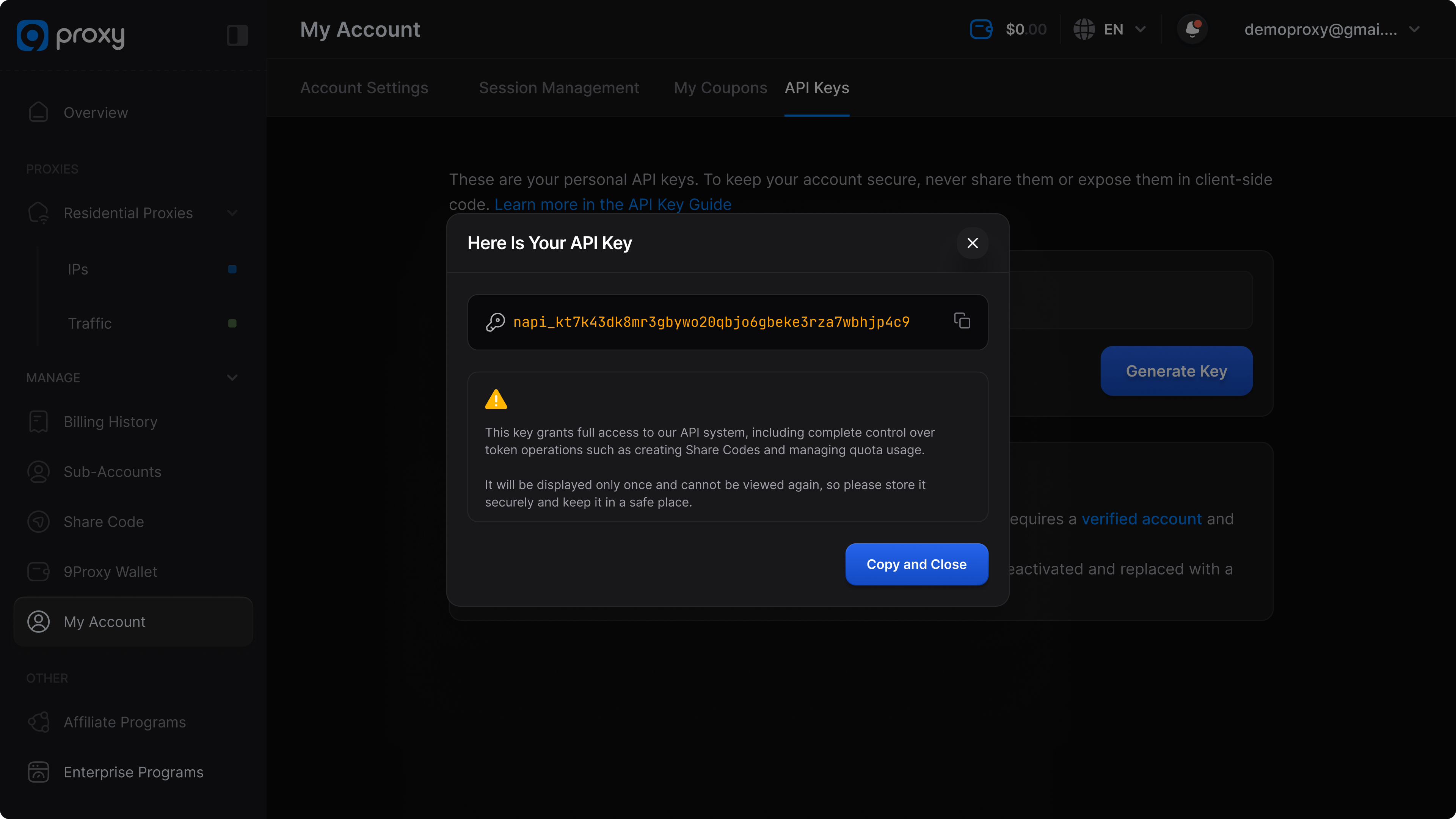
Click **Generate Key** to create your new API key.
{% endstep %}
{% step %}
### Copy and Store Securely
* The API key will be displayed once only - copy it immediately and store it in a secure location.
* We also send an email notification confirming key creation, which includes your API key.
* API keys are confidential. Do not share them with anyone or post them publicly.
{% endstep %}
{% endstepper %}
{% hint style="info" %}
**Note**: For security reasons, we never store your full API key after it’s generated. Once you close this window, you will not be able to view it again. Please be sure to save it securely. If the key is lost, you’ll need to generate a new one.
{% endhint %}
## Regenerating Your Key
Regenerate your API key if you suspect it’s been compromised, need to rotate credentials, or are transferring project ownership.
{% hint style="info" %}
## NOTE
Before you proceed, note:
* The old key will stop working immediately.
* Any active API sessions using the old key will fail instantly.
* All scripts, tools, and integrations must be updated to use the new key before they can function again.
{% endhint %}
### How to Regenerate:
* In the dashboard, go to Account Settings → API Key.
* Click Revoke & Regenerate.
* Complete Two-Factor Authentication (2FA) verification.
* Copy the new key and update all applications immediately.
{% hint style="info" %}
**Tip**: Keep a secure copy of the new key before leaving the page, it will only be shown once.
{% endhint %}
## FAQs
Can I view my API key again after creating it?
No. The full token is shown once at creation time. You should store it securely. If you no longer have it, revoke the old key and generate a new one.
Can I have keys with different permissions?
No. At this time, all API keys created under your account have the same access level. Authorization scopes are not yet supported, so any key you generate will be able to access all available endpoints, including:
* **Account**: Get account info
* **Proxy**: IP balance, purchase history, usage logs (main/sub), today list, favorites
* **Sub-account**: List/add/edit/delete sub-accounts, enable/disable, auto-add IP config
* **Share code**: Generate/use/revoke codes, view share/use logs
* **Wallet**: Wallet balance, deposit history, transactions (convert/transfer), auto renew
* **Affiliate**: Affiliate info (balance, level, referrals), affiliate history, referral links
What happens if I lose my keys?
For security reasons we can’t show a key again. Immediately revoke the lost key and create a new one, then update any services that used the old key.
Will regenerating my key interrupt my services?
Yes. You can only have one active key at a time. When you create a new API key, the old key is immediately invalidated:
* Any active sessions using the old key will fail instantly.
* All scripts, tools, and integrations must be updated to use the new key to continue functioning.
Does my API key expire?
No. API keys remain valid until you revoke or regenerate them, unless your account is suspended or closed.
Will I be notified when a new API key is created or regenerated?
Yes. We send an email notification to your registered account email whenever an API key is generated or regenerated.