# Bind IP to Port

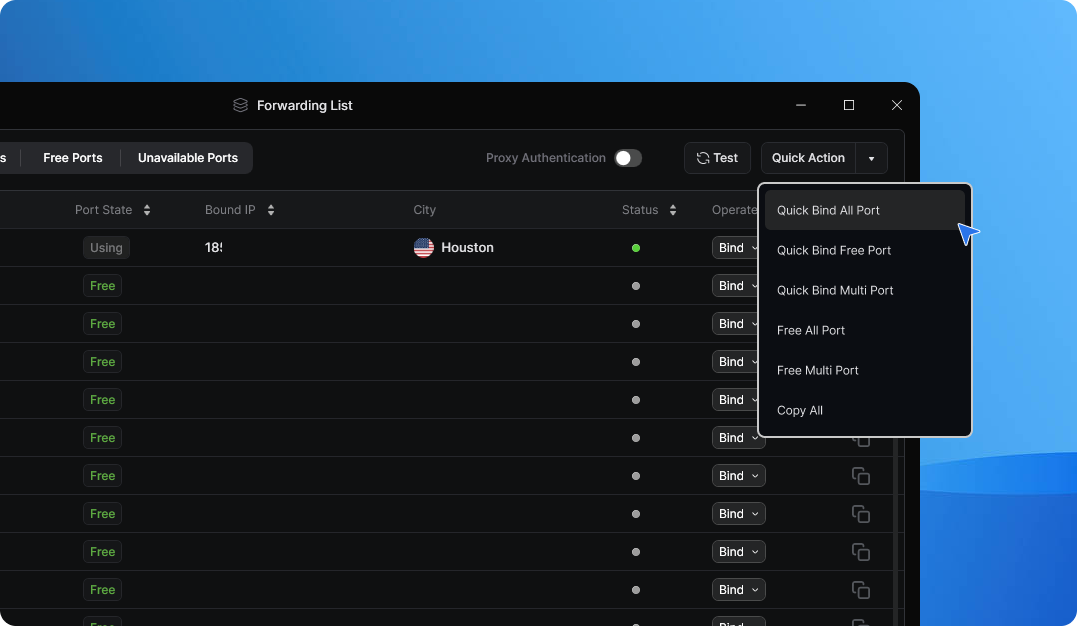
The **Bind IP to Port** feature allows you to quickly forward an IP to your desired port from the Forwarding List without having to return to the Proxy List to find a new IP. This will streamline proxy management by keeping all operations within the Forwarding List.

## 1. How To Use The Feature

{% stepper %}
{% step %}
Navigate to the **Forwarding List** in the **9Proxy App**

<figure><img src="https://1693667300-files.gitbook.io/~/files/v0/b/gitbook-x-prod.appspot.com/o/spaces%2FNuuHdu9z8IgffZvLnM2A%2Fuploads%2FeFSCc1PRgwhwfmqauCHa%2FRefresh%20list.png?alt=media&#x26;token=4a620019-6674-446c-916b-fb5a14593c05" alt=""><figcaption></figcaption></figure>
{% endstep %}

{% step %}
Locate the port you want to bind an IP to
{% endstep %}

{% step %}
Click the **Bind** button at the end of the port’s row

<figure><img src="https://1693667300-files.gitbook.io/~/files/v0/b/gitbook-x-prod.appspot.com/o/spaces%2FNuuHdu9z8IgffZvLnM2A%2Fuploads%2FABjLg9nUkaWq8MVIOyRR%2FRefresh%20list%202.png?alt=media&#x26;token=2c125886-f7d2-4de3-b71c-1eb1f4de4034" alt=""><figcaption></figcaption></figure>
{% endstep %}

{% step %}
A dropdown menu will appear with three binding options
{% endstep %}
{% endstepper %}

<table data-header-hidden><thead><tr><th width="205"></th><th></th></tr></thead><tbody><tr><td><strong>Quick Bind</strong></td><td><ul><li>Instantly binds a random proxy from the system to your selected port.</li><li>Ideal for users who need a fast and hassle-free proxy assignment.</li></ul></td></tr><tr><td><strong>Bind from Saved List</strong></td><td><ul><li>Binds a proxy from your Saved List to your selected port.</li><li>To use this option, ensure you have previously saved a filter in the Proxy List.</li></ul></td></tr><tr><td><strong>Bind from Location</strong></td><td><ul><li>Allows you to bind a proxy from a specific location to your selected port.</li><li>Useful for users who need proxies from a certain country or region.</li></ul></td></tr></tbody></table>

After selecting your preferred binding method, the proxy will be automatically assigned to your chosen port. The updated proxy details will appear in the Forwarding List, ready for use.

{% columns %}
{% column %}

#### Support Channels:

{% endcolumn %}

{% column %}

* **Email**: <support@9proxy.com>
* **Live Chat**: Available on[ 9proxy.com](https://9proxy.com)
* **Telegram**: @Official9Proxy
  {% endcolumn %}
  {% endcolumns %}