> For the complete documentation index, see [llms.txt](https://docs.9proxy.com/llms.txt). Markdown versions of documentation pages are available by appending `.md` to page URLs; this page is available as [Markdown](https://docs.9proxy.com/getting-started/sub-accounts.md).
# Sub-Accounts
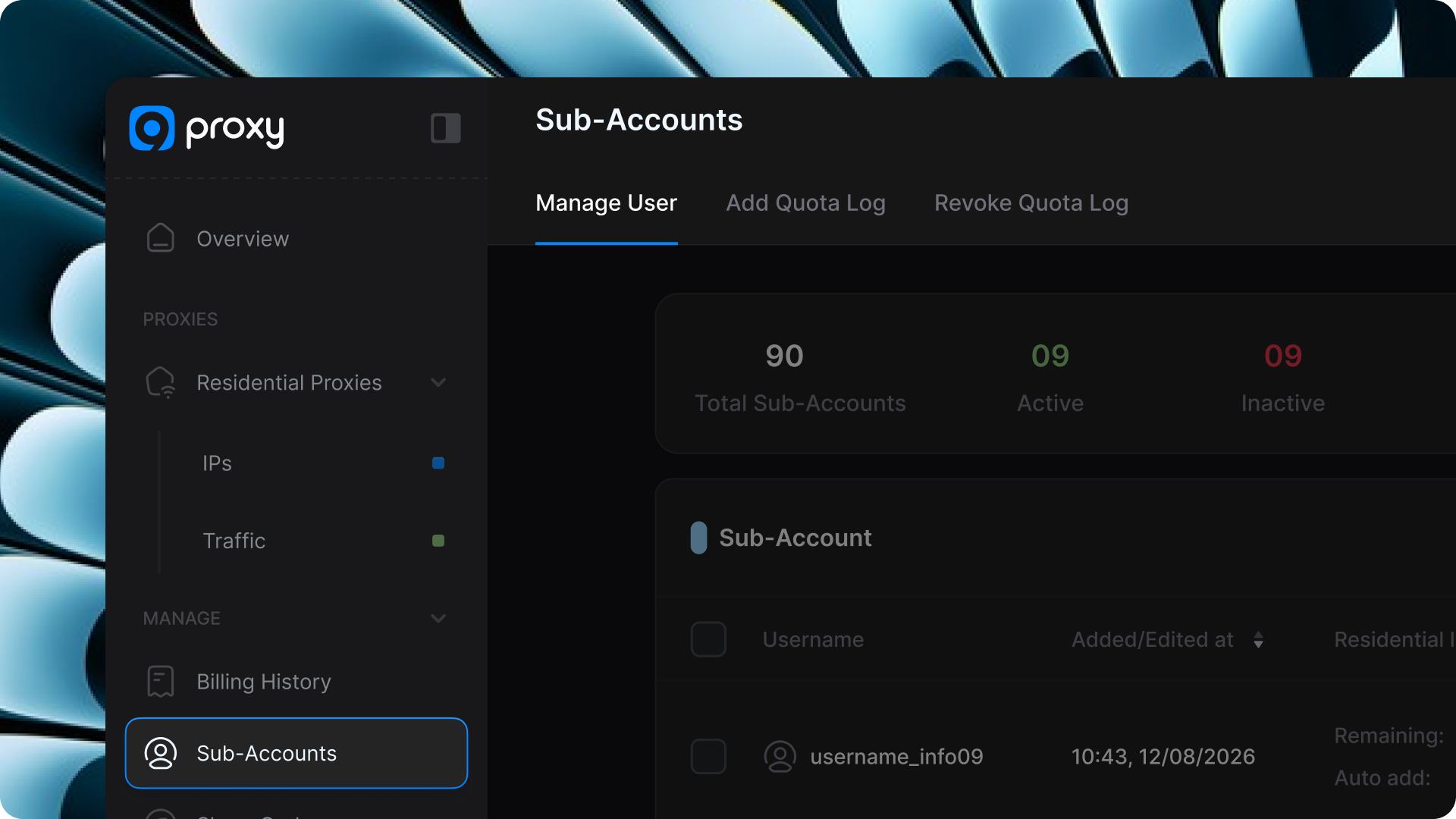
The Sub-Accounts feature in 9Proxy lets you create and manage multiple accounts under your main account. This is ideal for distributing proxies, delegating access, or collaborating with team members - all while maintaining complete control and visibility over proxy usage.
## 1. How to Create a Sub-Account
{% stepper %}
{% step %}
### Access the Sub-Accounts Page
Log in to your [9Proxy Dashboard](https://9proxy.com/dashboard) → Navigate to Sub-Accounts from the sidebar.
{% endstep %}
{% step %}
### Add a New Sub-Account
Under Manage , click **Create**.
{% endstep %}
{% step %}
### Fill in the Required Information
* **Set Password**: Define a secure password for the sub-account.
* **Add Remark** (optional): Add a note to identify the sub-account’s purpose or owner.
* **Schedule Auto-Disable**: (Optional) Automatically disable this sub-account after a specified period.
Click **Continue** to proceed with proxy or bandwidth allocation.
Now, you can allocate IPs, bandwidth, or both to each sub-account.
| Add IPs | Add Bandwidth |
| ---------------------------------------------------------------------------------------------------------------------------------------------------------------------------------------------------------- | --------------------------------------------------------------------------------------------------------------------------------------------------------------------------------------------------------------------------------------------------------------------------- |
|
Enter the number of IPs you want to assign.
(Optional) Enable Auto Add IPs - automatically adds new IPs when the sub-account’s IP balance reaches the defined minimum threshold.
|
Select the traffic package you want to deduct from.
Enter the amount of bandwidth (in GB) to allocate.
(Optional) Enable Auto Add Bandwidth - automatically adds bandwidth when the sub-account’s remaining GB drops below the threshold.
|
{% endstep %}
{% step %}
### Finalize Setup
Click **Add Now** to complete the creation process.
{% hint style="success" %}
## NOTE
The assigned IPs and bandwidth will be deducted from your main account’s balance.
{% endhint %}
{% endstep %}
{% endstepper %}
## 2. Managing Sub-Accounts
Once created, all sub-accounts are listed in the Sub-Accounts Management Table, showing each account’s allocated IPs, bandwidth, and usage data. From here, you can manage access, update configurations, and adjust resource allocations in real time.
### 2.1. Inactivate a Sub-Account
Temporarily disable a sub-account without deleting it.
Click the lock icon to deactivate access and prevent the sub-account from using any assigned proxies.
### 2.2. Edit Sub-Account Details
Click Edit to modify the sub-account’s configuration. You can:
* Change the password or remark.
* Enable or disable Schedule Auto-Disable.
* Adjust Auto Add IP/Bandwidth thresholds.
* Modify the allocated IPs or bandwidth:
* Reducing allocation returns resources to your main account.
* Increasing allocation deducts from your main account’s balance.
### 2.3. Delete a Sub-Account
Click Delete to permanently remove a sub-account.
Once deleted, the account loses all proxy access, and any remaining IP or bandwidth balance is automatically returned to the main account.
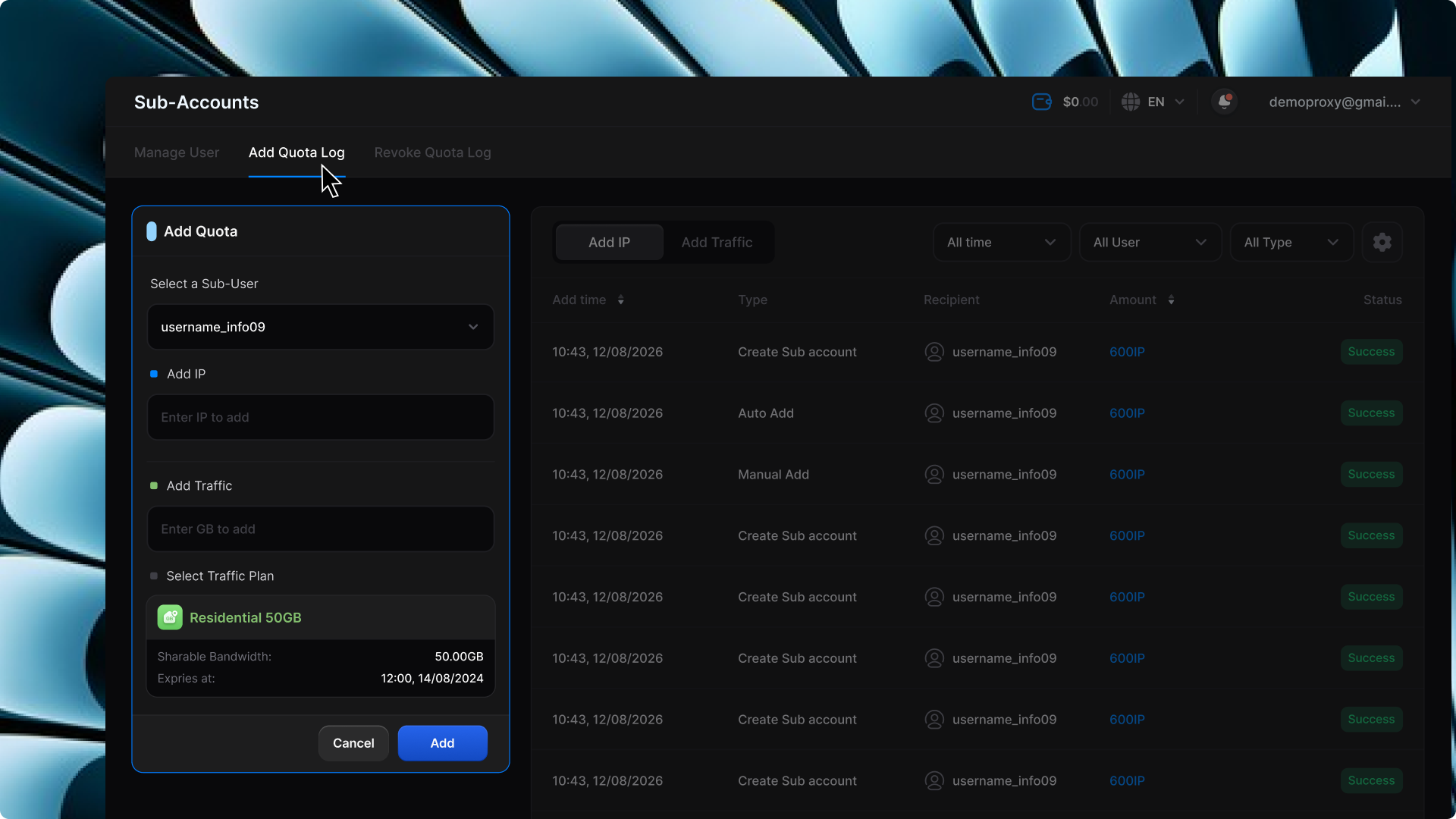
### 2.4. Add Quota Log
This section allows you to add additional IPs or bandwidth to a specific sub-account quickly and conveniently.
Use it when you need to top up resources without recreating the account.
### 2.5. Revoke Quota Log
Here, you can revoke IPs or bandwidth from a specific sub-account.
The revoked IPs or GBs are instantly credited back to your main account balance.
{% hint style="success" %}
## NOTE
* If the revoked IPs or bandwidth exceed the sub-account’s remaining balance, that balance will reset to 0.
* Sub-accounts cannot change their own credentials or account configurations.
* All management actions are restricted to the main account, ensuring centralized control, security, and resource integrity.
{% endhint %}
{% columns %}
{% column %}
#### Support Channels:
{% endcolumn %}
{% column %}
* **Email**:
* **Live Chat**: Available on[ 9proxy.com](https://9proxy.com)
* **Telegram**: @Official9Proxy
{% endcolumn %}
{% endcolumns %}
---
# Agent Instructions
This documentation is published with GitBook. GitBook is the documentation platform designed so that both humans and AI agents can read, navigate, and reason over technical content effectively. Learn more at gitbook.com.
## Querying This Documentation
If you need additional information that is not directly available in this page, you can query the documentation dynamically by asking a question.
Perform an HTTP GET request on the current page URL with the `ask` query parameter, and the optional `goal` query parameter:
```
GET https://docs.9proxy.com/getting-started/sub-accounts.md?ask=&goal=
```
`ask` is the immediate question: it should be specific, self-contained, and written in natural language.
`goal` is optional and describes the broader end goal you are ultimately trying to accomplish on behalf of the user. GitBook uses it to tailor the answer towards what is most useful for that goal.
The response will contain a direct answer to the question and relevant excerpts and sources from the documentation.
Use this mechanism when the answer is not explicitly present in the current page, you need clarification or additional context, or you want to retrieve related documentation sections.