> For the complete documentation index, see [llms.txt](https://docs.9proxy.com/llms.txt). Markdown versions of documentation pages are available by appending `.md` to page URLs; this page is available as [Markdown](https://docs.9proxy.com/integrations/ip-based-residential-proxies/browsers/safari.md).
# Safari
Before you begin, note that Safari’s proxy settings apply system-wide, meaning all browsers and applications will use[ the configured proxy](https://docs.9proxy.com/getting-started/residential-proxy-by-ips/for-macos-windows/configure-proxy).
## Open Proxy Settings
{% stepper %}
{% step %}
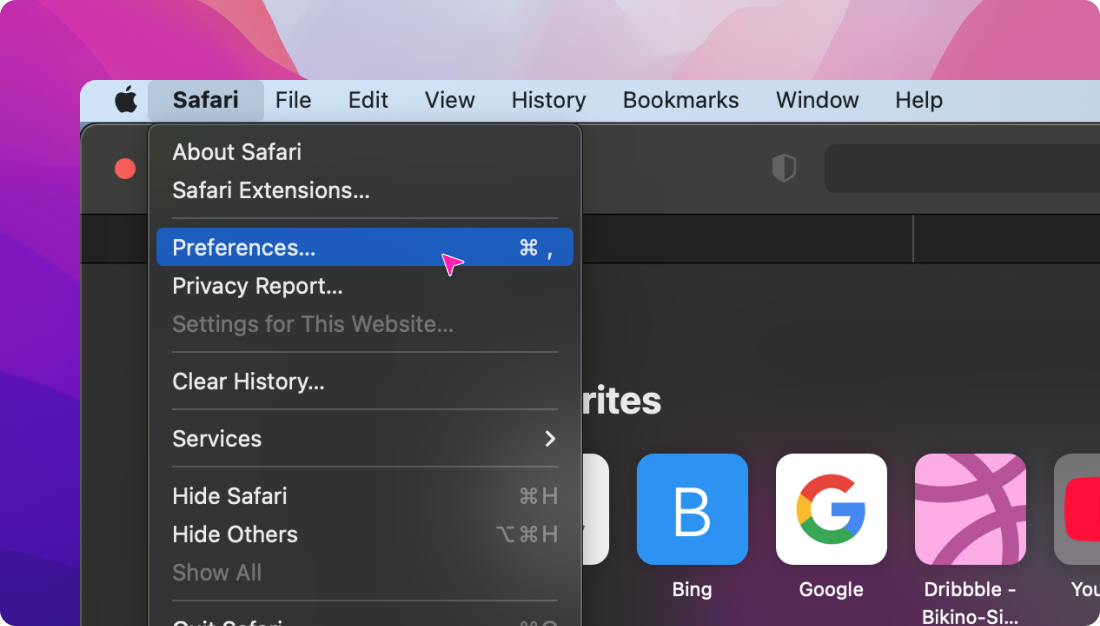
Open **Safari**, then go to **Safari** > **Preferences**.
{% endstep %}
{% step %}
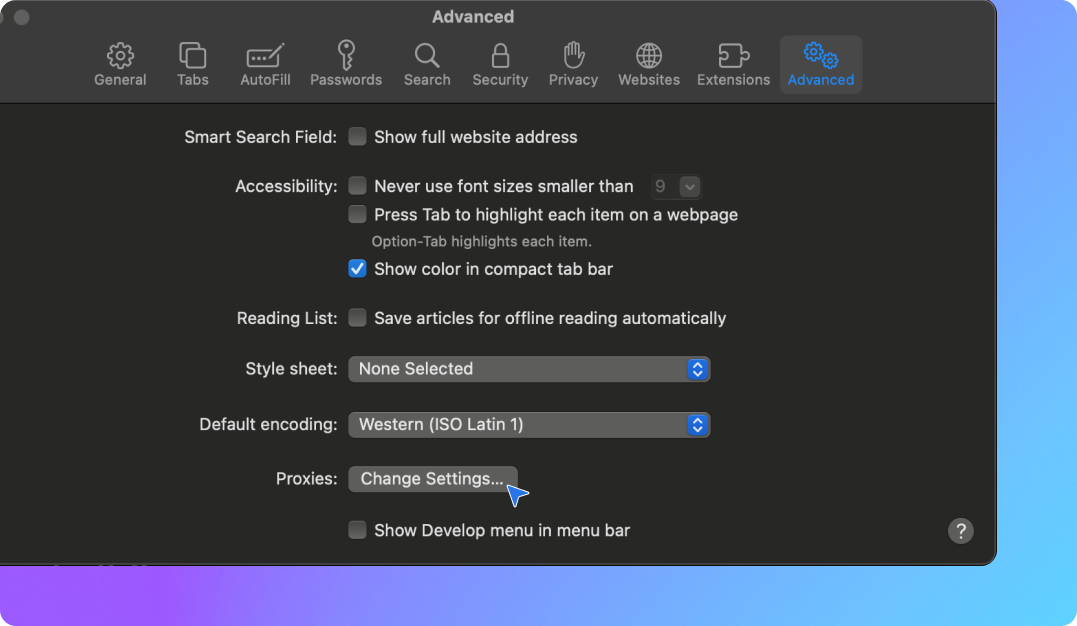
Select the **Advanced** tab.
{% endstep %}
{% step %}
In the **Proxies** section, click **Change Settings**.
{% endstep %}
{% endstepper %}
## Configure the Proxy
{% stepper %}
{% step %}
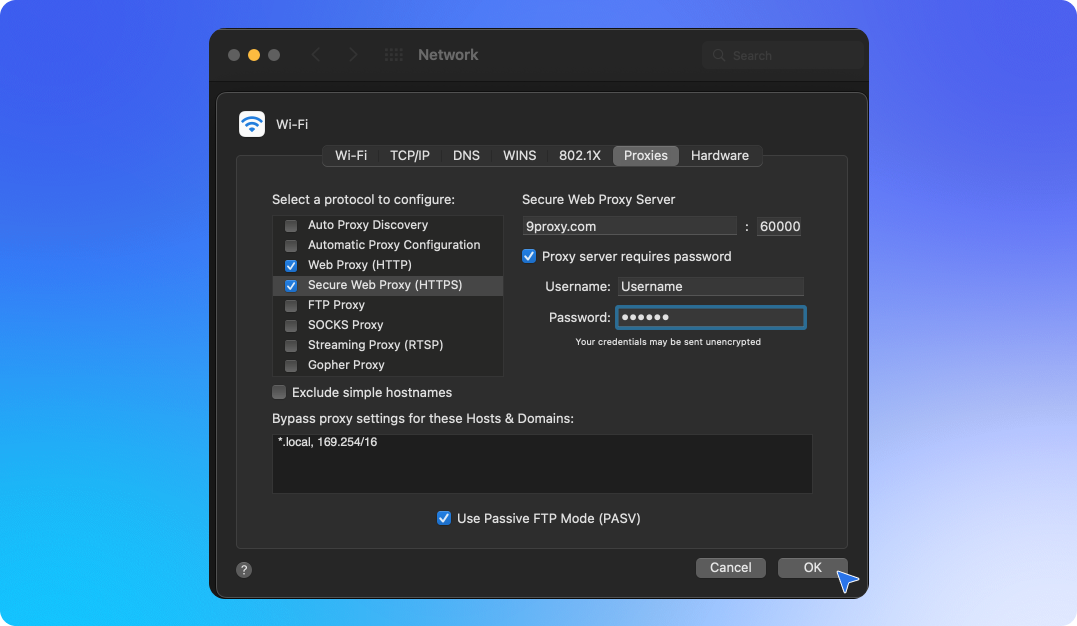
In the newly opened Network window, configure your proxy settings.
{% endstep %}
{% step %}
Follow our \[macOS Proxy Integration Guide] for detailed steps on setting up your proxy.
{% endstep %}
{% endstepper %}
## Turning Off a Proxy in Safari
{% stepper %}
{% step %}
Navigate to the proxy configuration window using the steps above.
{% endstep %}
{% step %}
Open the **Proxies** tab and uncheck all selected options.
{% endstep %}
{% step %}
Click **OK**, then Apply in the Network window to save changes.
{% endstep %}
{% endstepper %}
## Verify the Setup
To confirm that your proxy is working correctly, visit[ ipinfo.io](https://ipinfo.io/) and check if your IP address has changed.